
angularjsをはじめる。
Angularjsをとりあえずはじめる。
- なぜAngular.jsなのか
- 利点は何か?
- どういう場面でつかうか
などは詳しい解説をしてる方がたくさんいらっしゃるので省略。
ここでは0からAngularjsをはじめるまでを記述することにします。 http://angularjs.org/
素で始めてもいいけど、せっかくだから周辺環境も一緒に整えてしまおう。
node.jsのインストール
http://nodejs.org/

そのままインストールもしくは
brew install node
自分はBOXENで入れました。
あとは.bash_profileに記述なり、Windowsの環境変数なりにパスを通してnodeを叩けるようにする。
Yeoman bower grunt のインストール

npm(nodeのパッケージマネージャ)が叩けるようになっていればコマンドは以下で一発。
npm install -g yo grunt-cli bower
generator-angulor(テンプレート)のインストール
yoが使用するangularjsのテンプレをインストール。下記2つ
yeoman推奨なのはgenerator-angularの方。scripts/以下に機能毎にディレクトリ切る形。
angular-seedの方にもテストで使えるshell scriptなどがあったりするので気になる人は。
npm install -g generator-angular
npm install -g angular-seed
とりあえず、generator-angularをインストールしたことにして下に続く
yo angular
適当なディレクトリで以下のコマンドを実行
yo angular
ずかずかとテンプレートをインストールしていきます…。
twitter-bootstrap入れる?
とかコンポーネント入れる?
とか聞いてくるので適当にYES
Run!!!
grunt server
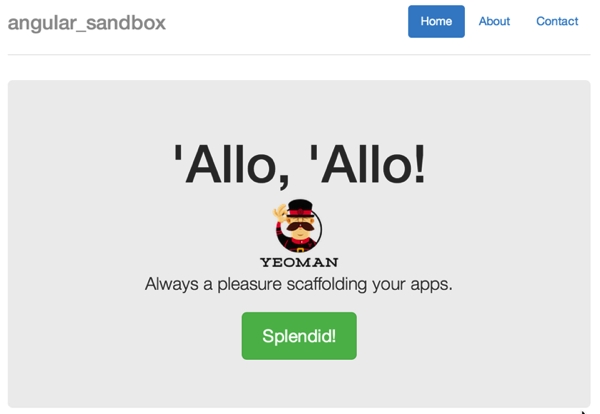
を実行すると127.0.0.1:9000にサーバーが立ち上がり、allo,alloいってるおっさんが表示される。
[error]compassないと怒られる。
muzi:angular_sandbox mogetta$ grunt server Running “server” task
The `server` task has been deprecated. Use `grunt serve` to start a server.
Running “serve” task
Running “clean:server” (clean) task
Running “concurrent:server” (concurrent) task Warning: Running “compass:server” (compass) task Warning: You need to have Ruby and Compass installed and in your system PATH for this task to work. More info: https://github.com/gruntjs/grunt-contrib-compass Use —force to continue.
Aborted due to warnings. Use --force to continue.

    Aborted due to warnings.
gruntfilekからタスクを消すか、rubyとcompassを導入します。
gem install compass
「おまけ」モバイル対応はじめの一歩
などを参考にしつつ
ngtouchモジュールをインストール
bower install angular-touch —save
index.htmlに以下を記述
app/scripts/app.jsに記述
angular.module(‘angularSandboxApp’, [ ‘ngCookies’, ‘ngResource’, ‘ngSanitize’, ‘ngRoute’ ])
にngTouchを追加。
